Settings
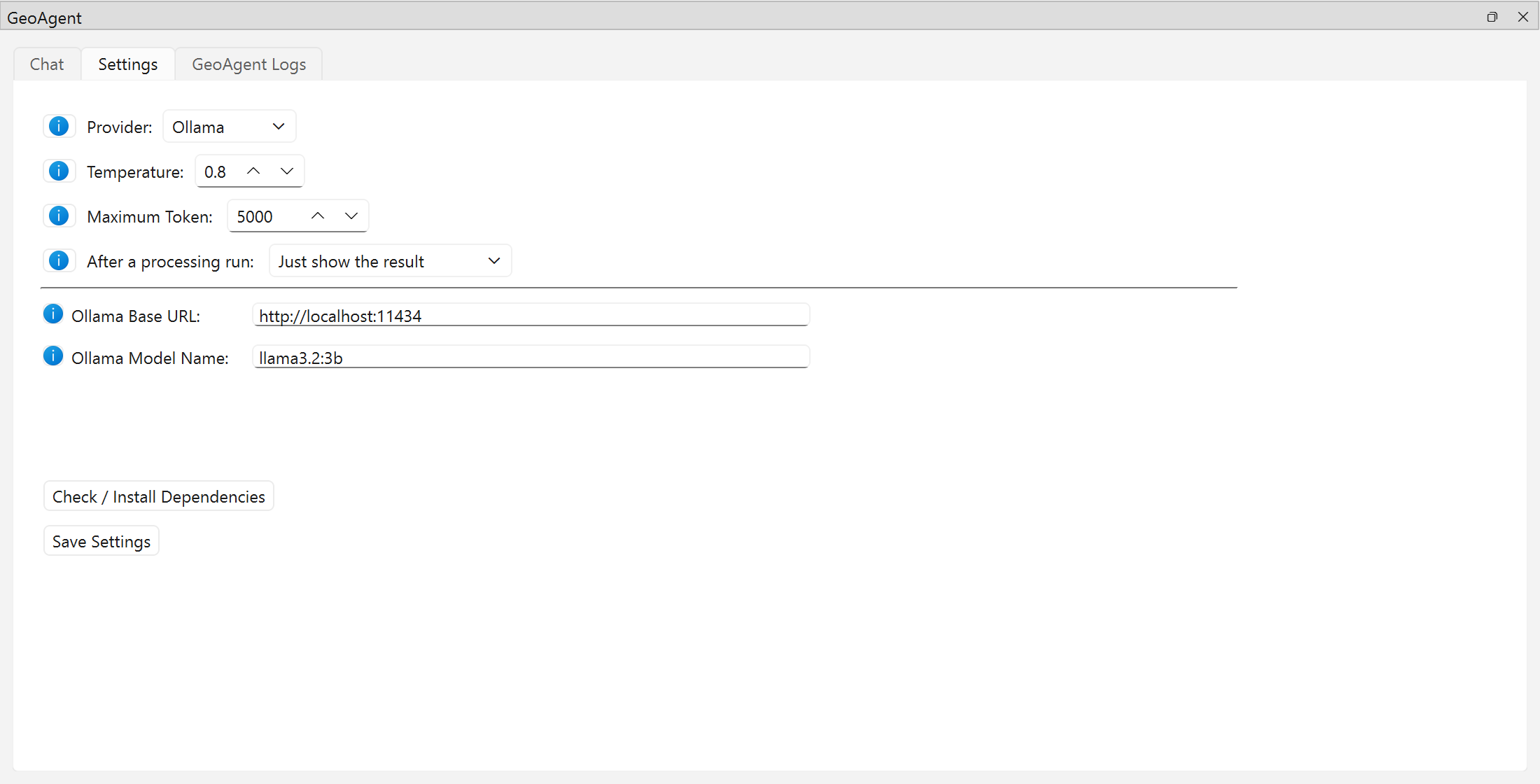
The Settings tab of the GeoAgent panel. The i buttons next to each option explain it.
Setting |
What it does |
|---|---|
Provider |
Which LLM service to use: Ollama, OpenAI, Gemini or Anthropic. See LLM providers. |
Temperature |
0 to 1 (default 0.8). Lower values make answers more consistent, which suits processing tasks. Not sent to Anthropic models. |
Maximum Token |
Upper limit on the length of each model response (1,000 to 100,000; default 5,000). |
After a processing run |
Open each processing run in the Model Designer, ask to save it as |
Model Name / API Key |
For OpenAI, Gemini and Anthropic: the model to use and your key. |
Ollama Base URL / Ollama Model Name |
For Ollama: the server address (default |
Check / Install Dependencies |
Installs missing Python packages. See Installation. |
Save Settings |
Keeps all of the above across QGIS restarts, with a separate API key per provider. |